<!--
title: Best apps where kids earn screen time by learning
description: Compare apps where kids earn screen time by learning, from each product's own page. EarnPlay is iPhone and iPad only: a short game, then the lock returns.
published: 2026-11-18
category: earnplay
hero: /static/blog/earnplay-series/hero-earn-by-learning.png
-->

# Best apps where kids earn screen time by learning

<p class="blog-lead">Every parent knows the sentence. "Five more minutes." It's said with the confidence of a lawyer and the timing of a stand-up comic, usually right as you're putting dinner on the table. The apps in this post all try the same trick: make the minutes something a child earns, so the timer gets to be the bad guy instead of you.</p>

Parents searching for an app where kids earn screen time by learning want a loop they can explain to a six-year-old. Do a short lesson. Minutes appear. The game or video opens. When the minutes run out, it closes, without anyone standing over the iPad. A public overview of that question on 17 November 2026 named five products. We read each one from its own pages, then say where our app, [EarnPlay](/projects/earnplay), fits. This isn't a scored ranking, and we didn't run a study.

## The question that sorts them: who checks the work?

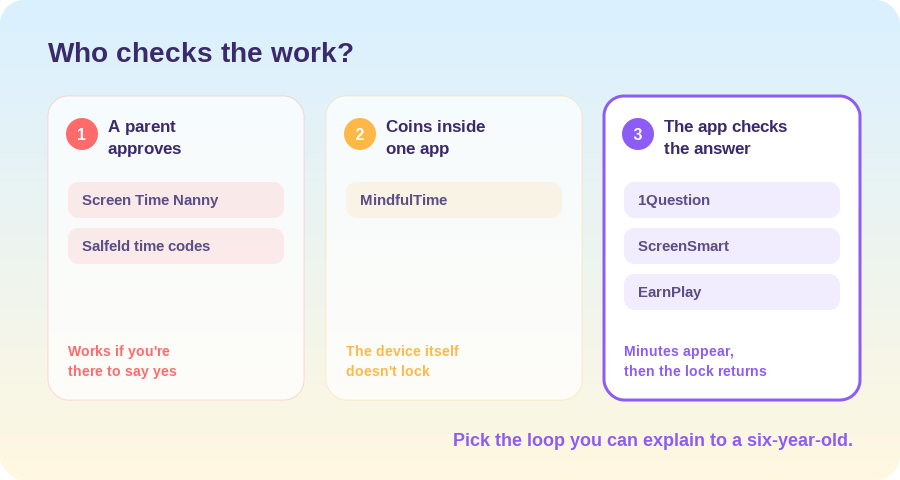
On paper these apps look alike. In practice they split on one thing. **Who decides the task is done?** Some wait for a parent to approve a chore. Some check a correct answer or count steps on their own. And some never lock the device at all. They only limit games inside their own window.

<figure class="blog-figure blog-figure--chart">
<img src="/static/blog/earnplay-series/chart-who-checks-the-work.svg" alt="Diagram of three kinds of earn-screen-time app. In Screen Time Nanny and Salfeld a parent approves. In MindfulTime coins work only inside one app and the device does not lock. In 1Question, ScreenSmart and EarnPlay the app checks the answer, minutes appear, then the lock returns." loading="lazy" width="900" height="480">
<figcaption>Three ways to earn a minute. Only one of them works while you're making dinner.</figcaption>
</figure>

Whichever kind you pick, the loop has four jobs. The child does something that counts. Minutes land in a balance. The chosen game or video spends that balance. At zero, it stops. Miss one and you have a sticker chart, a quiz, or a timer, not the loop you were looking for.

Apple Screen Time can already cap Games, Social, and Entertainment, and schedule what's available before and after school. But those minutes exist because a parent set them. The child doesn't earn them first. Our earlier comparison, [EarnPlay versus Apple Screen Time](/blog/earnplay-vs-apple-screen-time-2026/), goes into that difference.

## 1Question: one question, a minute and a half

The Google Play listing for 1Question Screen Time Control says children earn minutes in apps a parent has selected, through one-minute videos and quiz questions. Parents set a study-to-playtime ratio and pick which apps unlock. The listing says 1Q Pro is free for a limited time, so we don't treat that as a lasting price.

The Educational App Store review says it runs on iOS and Android, covers maths, English, science, and life skills for ages about 5 to 13, and that a correct answer added one minute and thirty seconds when the review was written. Check the store listing in your country for today's terms.

## ScreenSmart: the app does the checking

ScreenSmart's page on earning screen time says no parent approves each answer. On Android, kids earn through Learn, Move, Screen-free, and Useful apps. On iPhone, Learn and Move are available. Learn pays for correct answers. Move uses the phone's step counter. Screen-free pays for a phone break in hours the parent sets. Useful apps pay for time in an app the parent marked, like a reading app.

Earned minutes unlock the apps the parent put behind the rule, and at zero they lock again. Parents set a daily limit, weekday and weekend rules, and how much a correct answer is worth. It's free to start, one account supports one child for now, and a pricing page covers Premium.

## MindfulTime: coins that stay inside the app

MindfulTime's page says children finish worksheets, stories, and tasks, earn coins, and spend them on games and videos **inside MindfulTime**. Daily limits and bedtime live in the app, and a session pauses at bedtime. The page is upfront that this isn't a lock on the phone or tablet, and it tells parents to pair it with Apple Screen Time or Family Link when the device itself needs to stop. We like that honesty.

Its pricing page lists Starter at $0 for one child (three worksheets, three game sessions, and one story a day). Premium is $59.99 a year or $7.99 a month for up to four children, with the AI homework generator and Video Bucket. Family Pro is $99.99 a year or $12.99 a month for up to eight children.

## Screen Time Nanny: credits, quests, and a parent's yes

The App Store listing for Screen Time Nanny: Kids Earn says fun apps cost credits per minute and learning apps earn them. When the wallet hits zero, the fun apps pause. Parents create quests and chores and approve each payout. Bedtime and School Mode block entertainment during chosen hours. It runs on iPhone and iPad with iOS 17 or later, and you don't need an account to start.

A later note on the listing describes a Learning Arcade with counting, shapes, memory, spelling, maths, and geography, where parents choose the games and what a win pays. After a seven-day trial, Premium Monthly is $9.99 a month for up to five children, as printed on the listing when we read it.

## Salfeld Child Control: for the family PC

Salfeld's Child Control is for Windows and Android, not an iPhone or iPad in a child's hands. It limits how long the PC or phone can be used, then locks the PC or shows a lock screen on the phone. Learning apps marked Allowed PLUS stay open after the limit, and using them earns bonus time. A parent can also hand over a six-digit Time Code after homework or chores. The parent portal runs in a browser, including on an iPhone, so you can change the rules without grabbing the child's device.

<blockquote class="blog-pullquote"><p>The best rule is the one you don't have to enforce at 7pm.</p></blockquote>

## Where EarnPlay fits

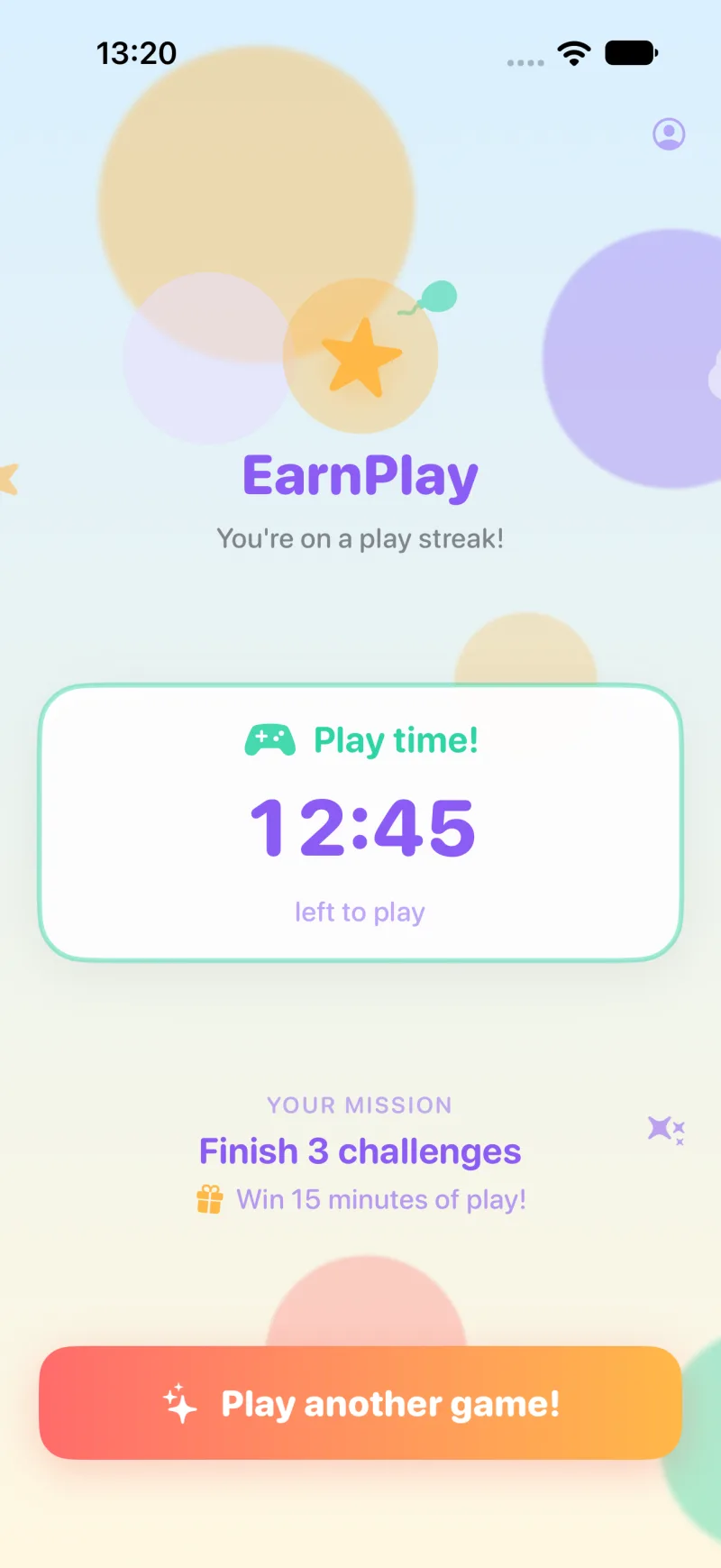
We built [EarnPlay](/projects/earnplay) for iPhone and iPad, and for the third column of that diagram. A parent picks the apps to gate with Apple's Family Activity picker, so YouTube, Minecraft, or any other game can sit behind the shield. The child finishes a short game the parent has turned on: letter names, beginning sounds, reading words, Make 10, maths by age (about 5 to 10), or geography. A pass adds minutes to one shared pool. When the timer ends, Screen Time puts the shields back. Nobody has to say "time's up."

<figure class="blog-figure blog-figure--phone">
<img src="/static/earnplay/02-kid-home-unlocked.webp" alt="EarnPlay on iPhone after a child finished their challenges: a Play time card showing 12:45 left to play" loading="lazy" width="800" height="1739">
<figcaption>Challenges done. The timer, not the parent, counts down the play time.</figcaption>
</figure>

The games run on the device. Children don't get an EarnPlay account, and there's no social feed. Parents do need Apple Family Controls and a child Apple ID in Family Sharing, and the app needs iOS 17 or later. Our EarnPlay page doesn't print a price, so the App Store listing in your country is the place to check it.

## What EarnPlay leaves out

It doesn't run on Android. It doesn't assign chores, approve a photo of a tidy room, or pay pocket money. It doesn't replace Downtime or the rest of Screen Time. A category budget a child can spend without a game is Apple's setting, not ours. Children older than about 10 are past the ages the games are built for. And an app the parent never selected isn't locked by EarnPlay.

So: if you want to sign off every chore yourself, Screen Time Nanny is built around that. If you want steps to count, ScreenSmart has Move. If coins inside one app are enough, MindfulTime does that, and says to add Screen Time for a real lock. For a Windows PC, look at Salfeld. **And if you want a short game on the device, in front of the apps you already chose, then the lock comes back on its own, that's EarnPlay.**

<aside class="blog-cta">
<p><strong>EarnPlay is on iPhone and iPad.</strong> Kids finish a short reading, sounds, or maths game to earn time in the apps you choose, and the lock comes back when the time ends.</p>
<p class="blog-cta__actions"><a class="blog-cta__button" href="/go/earnplay/app-store">Get EarnPlay on the App Store</a> <a href="/">See how EarnPlay works</a></p>
</aside>

## References

- [1Question Screen Time Control on Google Play.](https://play.google.com/store/apps/details?id=com.parental.control.math.education.safe&hl=en_AU)
- [Educational App Store review of 1Question Screen Time Control.](https://www.educationalappstore.com/app/1question-screen-time-control)
- [ScreenSmart — apps that let kids earn screen time.](https://screensmart.app/earn-screen-time)
- [MindfulTime — earn screen time after learning.](https://www.mindfultime.app/screen-time-app)
- [MindfulTime pricing.](https://www.mindfultime.app/pricing)
- [Screen Time Nanny: Kids Earn on the App Store.](https://apps.apple.com/us/app/screen-time-nanny-kids-earn/id6782167373)
- [Salfeld Child Control for Windows and Android.](https://salfeld.com/en/child-control/)